Category: timestamp

  • Epoch Time: Unlocking the Computer Clock Revolution

    What Is Epoch Time?

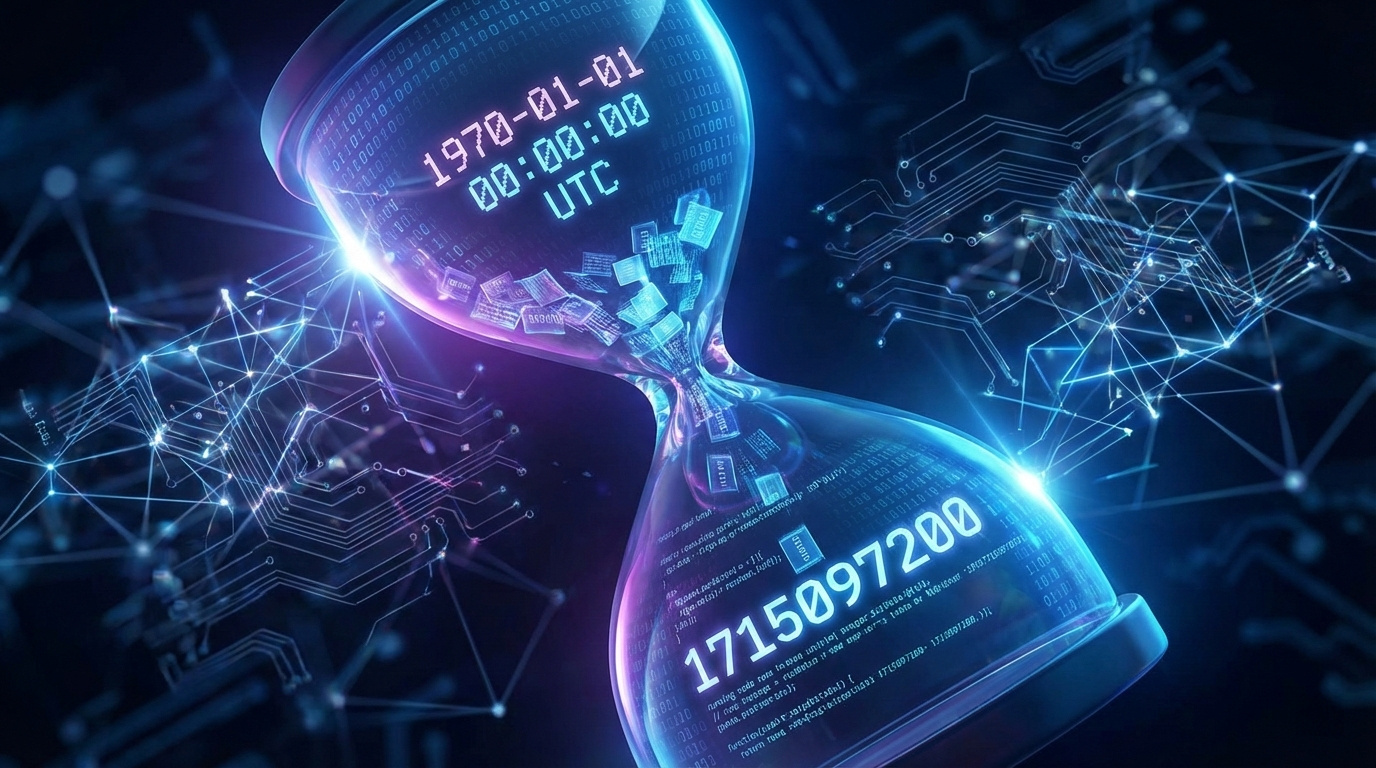
    Epoch Time, often known as the Unix Timestamp, tracks every second since January 1, 1970. It’s like a big digital counter for computers. Instead of messy dates like “July 20, 2025,” this system uses one simple number. Coders love it because it’s quick to handle. You can add or subtract these timestamps without confusion. Think of it as the backbone for apps, websites, and even your phone’s clock.

    Why January 1, 1970 as the Starting Point?

    Back in the 1960s, smart engineers built early computers. They needed a clear beginning for time tracking. January 1, 1970, became that “zero moment.” It was a fresh start, free from old calendar quirks. This date stuck because it worked well for Unix systems, the foundation of many modern operating systems. No drama, just a reliable epoch starting point that everyone agreed on.

    • It avoids issues with different calendars around the world.
    • Helps in building software that runs smoothly from day one.
    • Sets the stage for accurate time measurements in tech.

    Why Computers Rely on Epoch Time

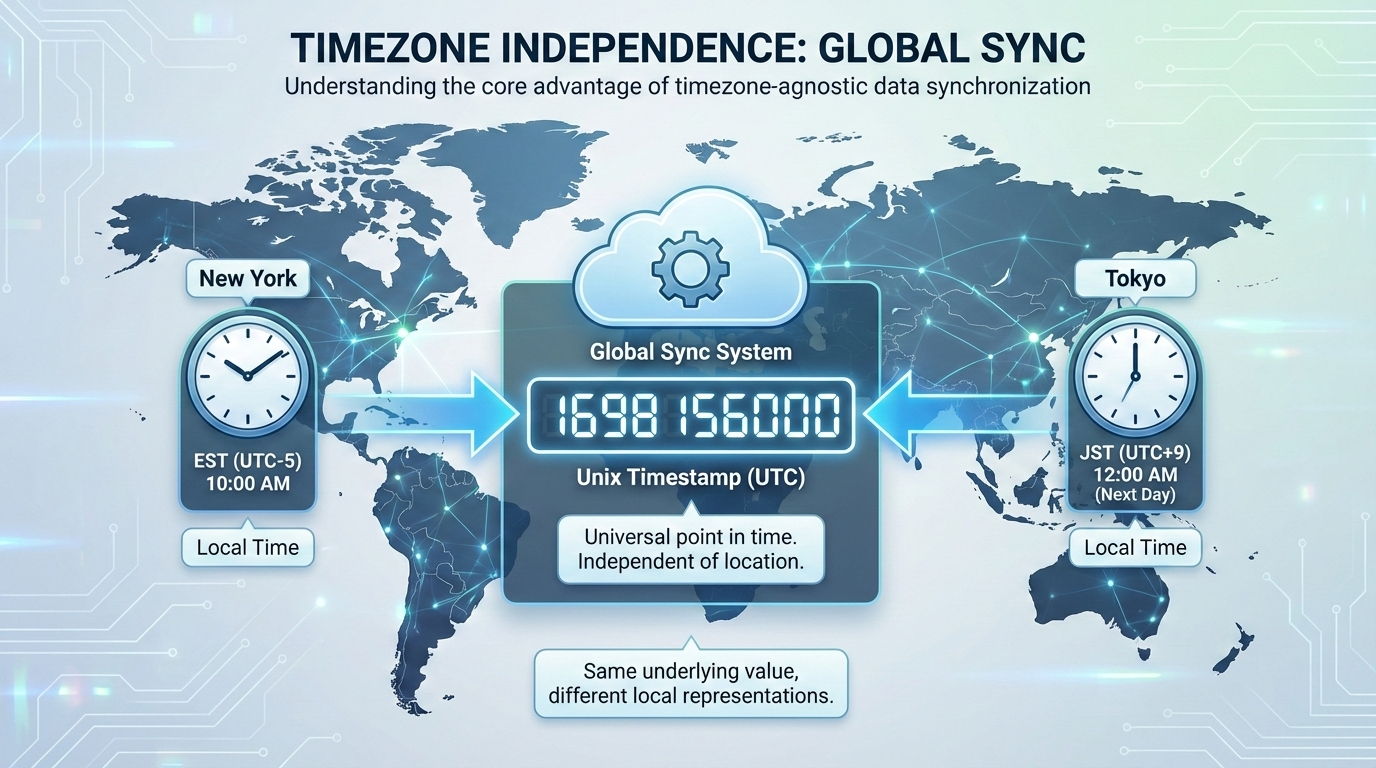
    Computers pick Epoch Time for smart reasons. It’s a universal timestamp that ignores time zones. No worries about daylight saving changes or regional formats. This makes programming easier. Developers can focus on code, not calendar headaches.

    Here’s a quick list of its key perks:

    • Global Consistency: The same Epoch Time number means the same moment everywhere. Perfect for international apps.
    • Simple Calculations: Want to know how long a game session lasted? Just subtract two timestamps. Boom, you get seconds, minutes, or hours.
    • Error-Free Handling: Forget debates over MM/DD vs. DD/MM. Epoch Time uses pure numbers, reducing bugs in software.

    In daily life, it powers things like social media posts. When you timestamp a tweet, it’s an Epoch Time value behind the scenes. Converted to your local time, it shows up neatly.

    Real-World Uses of Epoch Time in Technology

    Epoch Time shines in various tech areas. For logging events in servers, it records exact moments without fuss. In mobile apps, it helps sync data across devices. Even in finance software, it tracks trades precisely.

    • Email systems use it to sort messages by when they arrived.
    • Video platforms measure watch time with timestamp differences.
    • IoT devices, like smart thermostats, rely on it for scheduling.

    Without this system, coordinating global networks would be chaos. It’s the quiet hero keeping the digital world ticking.

    How to Convert Epoch Time to Readable Dates

    Seeing a number like 1823545600 might puzzle you. That’s Epoch Time in action. Converting it back to a human-friendly date is straightforward. You don’t need to be a programmer to do it.

    Quick Ways to Convert Epoch Time

    Use tools for instant results. Online converters make it fun and fast.

    1. Search for “Epoch Time converter” on your browser.
    2. Enter the Unix Timestamp, like 1721452800.
    3. Hit convert. You’ll see something like “July 18, 2024, 12:00 PM UTC.”

    Many websites offer free versions. Some even handle time zones for you. No downloads needed—just paste and go.

    Manual Conversion Basics for Epoch Time

    If you want to try by hand, start simple. But remember, it’s tricky with leap years.

    • Divide the timestamp by 86,400 to get days since 1970 (that’s seconds in a day).
    • Add those days to January 1, 1970.
    • Adjust for months and years. Tools are better for accuracy.

    For example, 0 is exactly January 1, 1970. Positive numbers go forward; negatives go back. Practice with small numbers to get the hang of it.

    Tips for Working with Epoch Time in Programming

    If you’re into coding, languages like Python or JavaScript have built-in functions. In Python, use datetime.fromtimestamp() to turn the number into a date object. This saves time in projects involving data analysis or web development.

    • Always store timestamps in UTC for global apps.
    • Convert to local time only when displaying to users.
    • Watch for the 64-bit upgrade to dodge future issues.

    FAQ

    What Makes January 1, 1970 Special for Epoch Time?

    It serves as the epoch starting point for Unix systems. Engineers chose it in the 1960s for simplicity. This date acts like ground zero on a timeline, ensuring all computers count time the same way. No old dates to complicate things— just a clean slate for tech. (124 characters)

    How Does the Year 2038 Problem Affect Epoch Time?

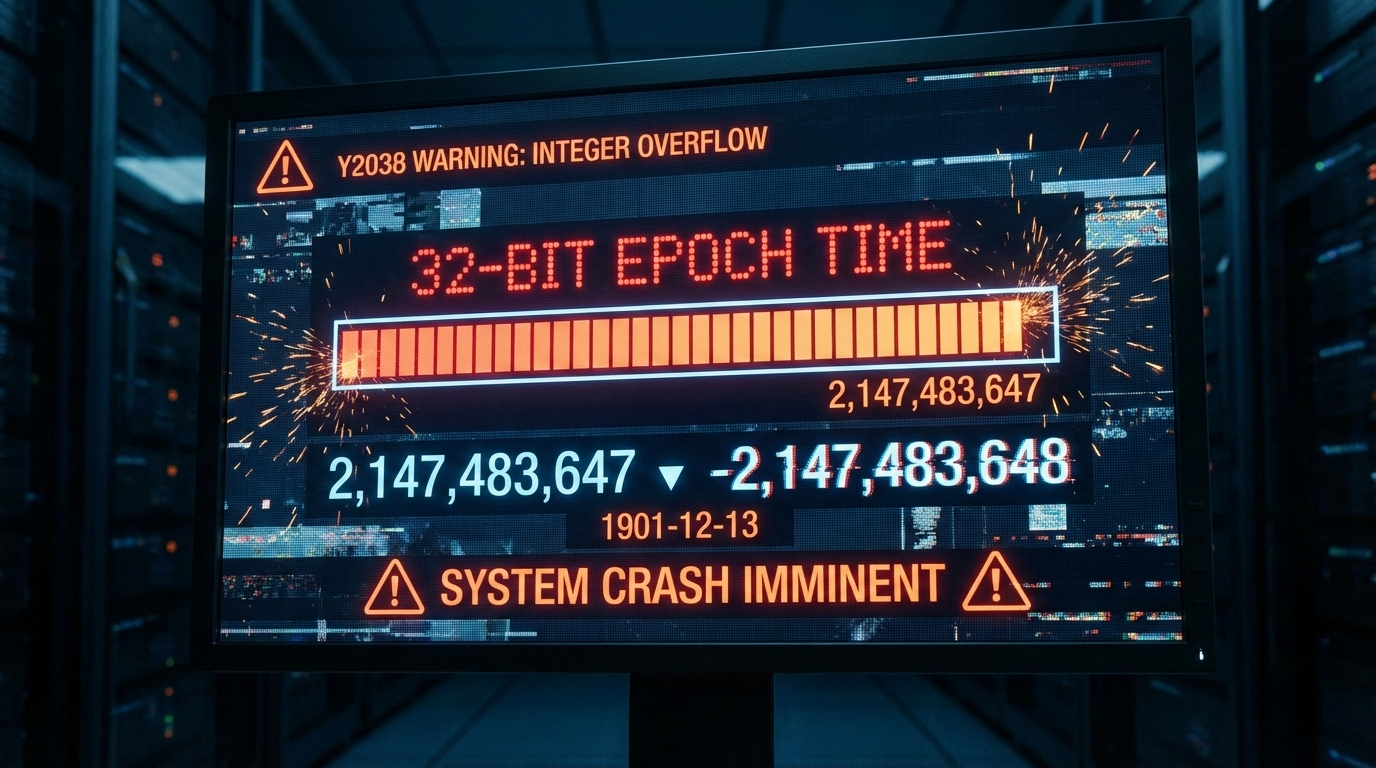
    The original 32-bit Epoch Time will overflow on January 19, 2038, causing errors in old systems. Modern setups use 64-bit timestamps for way more years. Update software to stay safe. It’s like upgrading from an old clock to a digital one that lasts forever. (198 characters)

    Do Smartphones and Everyday Devices Use Epoch Time?

    Yes, most phones and gadgets rely on Unix Timestamps under the hood. They convert Epoch Time to your local format for clocks, photos, and messages. This keeps everything synced, whether you’re in New York or Tokyo. No visible numbers, but it’s working quietly. (187 characters)

    What Do Negative Epoch Time Values Mean?

    Negative timestamps count time before January 1, 1970. For instance, -315619200 equals January 1, 1960. It’s useful for historical data in apps. Just plug it into a converter to see the past date clearly. This backward counting maintains full timeline support. (192 characters)

    Can Developers Switch to a Different Epoch Starting Date?

    No, changing it would break global compatibility. All systems depend on this standard to stay in sync. It’s like resetting a worldwide clock—too much disruption. Stick to the original for seamless integration across software and hardware. (168 characters)

  • Find the Time Difference Between Two Timestamps Quickly

    What Exactly Is a Timestamp?

    A timestamp is simply a record of a specific moment in time. Think of it as a digital or written snapshot that captures when an event happened. For example, when you see “2023-10-26 09:00 AM” or just “2:15 PM,” you’re looking at a timestamp. People use them everywhere—from personal diaries and work logs to video files and social media posts—to mark when something started or ended.

    Why Timestamps Are So Useful

    Timestamps are incredibly important for tracking duration. They help you figure out how long things take. You can use them to measure:

    • How long your workout lasted.
    • The duration of a business meeting.
    • When a specific scene in a movie begins.
    • The exact time a project task was completed.

    Most timestamps include the date, the time, or a combination of both to provide a full picture.

    Common Timestamp Formats You’ll See

    Timestamps don’t all look the same. You might encounter a few different styles, but they all represent a point in time. Here are some common formats:

    • Simple Time: “3:30 PM” or “10:00 AM” (12-hour clock).
    • Date and Time: “October 26, 2023, 3:30 PM.”
    • 24-Hour Format: “15:30” (also known as military time).
    • Including Seconds: “15:30:45” (hours:minutes:seconds).

    How to Calculate the Time Difference Between Timestamps

    Finding the time gap between two timestamps is a straightforward process. The basic idea is to subtract the earlier time (the start time) from the later time (the end time). Follow these steps to get an accurate result every time.

    Step 1: Write Down Your Timestamps

    First, clearly identify and write down both of your timestamps. To stay organized, it’s a great idea to label them so you don’t get them mixed up.

    • Start time: 10:00 AM
    • End time: 2:30 PM

    Knowing which is the start and which is the end is the most important first step to avoid errors.

    Step 2: Convert to the Same Format

    If your timestamps are in different formats, you’ll need to make them match before you can do any math. Converting both to a 24-hour format or to a single unit like minutes is the easiest way to calculate the time difference.

    For instance, let’s say one time is “10:00 AM” and the other is “14:30.”

    1. “10:00 AM” is easy.
    2. “14:30” is in 24-hour format, which is the same as 2:30 PM.

    To make subtraction simple, let’s convert both to minutes from midnight:

    • Start time (10:00 AM): 10 hours × 60 minutes/hour = 600 minutes.
    • End time (14:30): 14 hours × 60 minutes/hour + 30 minutes = 840 + 30 = 870 minutes.

    Step 3: Subtract the Start Time from the End Time

    Now that both timestamps are in the same unit, you can subtract the smaller number (start time) from the larger one (end time).

    Using our example:

    870 minutes - 600 minutes = 270 minutes

    The time duration between the two timestamps is 270 minutes. To make this number more useful, you can convert it back into hours and minutes.

    270 minutes ÷ 60 = 4 with a remainder of 30

    So, the time difference is 4 hours and 30 minutes.

    Step 4: Handle Gaps That Cross Midnight

    What if the time period you’re measuring goes past midnight into the next day? This can seem tricky, but the logic is simple. You just need to account for the change in day.

    Let’s take this example:

    • Start time: 10:00 PM (Day 1)
    • End time: 2:00 AM (Day 2)

    The easiest way to calculate this is to break it into two parts:

    1. Calculate the time from the start time to midnight: From 10:00 PM to 12:00 AM is 2 hours.
    2. Calculate the time from midnight to the end time: From 12:00 AM to 2:00 AM is 2 hours.
    3. Add the two results together: 2 hours + 2 hours = 4 hours.

    Real-World Examples of Finding the Time Difference

    You can use this skill in many everyday situations. Calculating the time between events helps with planning, logging, and more.

    Example: Plan Your Workout

    Let’s say you want to track how long you spend at the gym.

    • Timestamp 1 (Start): 9:15 AM
    • Timestamp 2 (End): 10:45 AM

    You can quickly see that the difference is 1 hour and 30 minutes. This helps you know if you’re meeting your fitness goals.

    Example: Clocking a Work Project

    Imagine you need to log your hours for a freelance project.

    • Start: 1:00 PM
    • End: 4:45 PM

    By subtracting the start from the end, you find that you worked for 3 hours and 45 minutes. If your rate is $50/hour, you know exactly how much to bill.

    Tips for an Easy Time Difference Calculation

    Avoid common mistakes and make the process even faster with these simple tips.

    Use Online Tools or Apps

    Why do the math when you don’t have to? There are many free and reliable time difference calculators available online. Your smartphone’s clock or calendar app likely has this feature built-in. Just input the start and end timestamps, and the tool will instantly give you the duration.

    Be Mindful of Time Zones

    If both of your timestamps are from the same local time zone, you don’t need to worry about anything else. However, if you are working with timestamps from different parts of the world, time zones become very important. Before you calculate the difference, you must first convert one of the times to the other’s time zone.

    FAQ

    What if the timestamps include different dates?

    If your timestamps are on different days, first calculate the number of full days between them. Multiply the number of full days by 24 to get the hours. Then, calculate the time difference for the remaining hours and minutes and add it to your total.

    Can I calculate the time difference with seconds?

    Yes, absolutely. For maximum precision, convert both timestamps entirely into seconds. Calculate the total seconds from midnight for the start and end times, subtract them, and then convert the resulting number back into hours, minutes, and seconds.

    How do I handle AM and PM in time calculations?

    The easiest way to avoid AM/PM confusion is to convert all your times to a 24-hour format (military time). For example, 9:00 AM stays 09:00, but 2:00 PM becomes 14:00. This makes subtraction simple and removes any chance of error.

  • How to Calculate Time in Minutes by Subtracting Epoch Timestamps?

    When it comes to measuring time in software systems, few formats are as universal—and misunderstood—as epoch time. Here’s a mind-bending fact: every second since January 1, 1970 (UTC) is counted as a number. That’s over 1.7 billion seconds and counting! But what happens when you subtract one epoch timestamp from another? And more importantly—how do you get that difference in minutes?

    Let’s break it down.

    Understanding Epoch Time and Its Role

    What Is Epoch Time?

    Epoch time (also known as Unix time or POSIX time) is the number of seconds that have elapsed since 00:00:00 UTC on January 1, 1970—not counting leap seconds. It’s a standard used across programming languages like Python, JavaScript, C++, and databases like MySQL.

    For example:

    • epoch_start = 1609459200 → Jan 1, 2021
    • epoch_end = 1609462800 → Jan 1, 2021 + 1 hour

    Subtracting these gives 3600 seconds.

    Why Use Epoch Time?

    • Simplicity: It’s just an integer.
    • Universality: Works across platforms.
    • Precision: Down to milliseconds or even nanoseconds.

    But here’s the kicker—many developers mistakenly assume it’s already in minutes or hours. It’s not. It’s always in seconds unless explicitly converted.

    Common Misconception Busted

    A frequent mistake is assuming that subtracting two epoch times gives you a duration in minutes or hours directly. In reality:

    Epoch subtraction yields seconds—not minutes!

    To convert to minutes:

    minutes = (epoch_end - epoch_start) / 60
    

    The Math Behind Subtracting Epoch Times

    Step-by-Step Breakdown

    Let’s say we have two timestamps:

    start_time = 1680000000
    end_time   = 1680001800
    

    Step 1: Subtract the Two Values

    difference_in_seconds = end_time - start_time # Result: 1800 seconds
    

    Step 2: Convert Seconds to Minutes

    difference_in_minutes = difference_in_seconds / 60 # Result: 30 minutes
    

    That’s it! You now know how long something lasted—in this case, half an hour.

    Code Snippets Across Languages

    Here are quick examples for different environments:

    Python

    minutes = (end_epoch - start_epoch) / 60
    

    JavaScript

    let minutes = (endEpoch - startEpoch) / 60;
    

    Bash

    minutes=$(( (end_epoch - start_epoch) / 60 ))
    

    Real-Life Applications of Epoch Time Calculations

    System Monitoring Tools

    Imagine a server logs user login at epoch_login=1700000000 and logout at epoch_logout=1700003600. To calculate session duration:

    duration_minutes=$(( (1700003600 -1700000000)/60 )) # Output: "60"
    

    This helps admins track usage patterns efficiently.

    Billing Systems & SaaS Platforms

    In cloud services where users are billed per minute of usage, accurate conversion from epoch differences ensures fair billing.

    Micro-story: A startup once overcharged its users because they forgot to divide by 60. Their system calculated usage durations directly from raw epoch differences—resulting in charges based on seconds, not minutes. After customer complaints flooded support channels, they traced it back to this tiny but costly oversight.

    Event Scheduling & Reminders

    Apps like Google Calendar use epoch internally for scheduling events. When calculating reminders (“notify me X minutes before”), converting from epochs becomes essential.

    Best Practices When Working With Epoch Differences

    Always Know Your Units

    Before performing any math:

    • Confirm if your timestamps are in secondsmilliseconds, or nanoseconds.
    • Divide accordingly (/1000/1000000) before converting to minutes.
    UnitConversion Needed
    Seconds/60
    Milliseconds/1000/60
    Nanoseconds/1000000000/60

    Use Built-in Libraries When Possible

    Most modern languages offer libraries that handle date-time arithmetic safely:

    • Python’s datetime
    • JavaScript’s Date
    • Java’s InstantDuration

    These help avoid manual errors and account for edge cases like daylight saving changes when working with local times derived from epochs.

    Common Pitfalls and How to Avoid Them

    Mistaking Milliseconds for Seconds

    Some APIs return milliseconds instead of seconds. For example:

    Date.now() // returns milliseconds!
    Math.floor(Date.now() /1000) // converts to seconds correctly.
    

    Always check documentation!

    Ignoring Time Zones During Display Conversion

    While epochs themselves are timezone-neutral (they’re UTC-based), displaying them requires proper timezone handling using locale-aware functions or libraries like Moment.js or Luxon in JS; pytz or zoneinfo in Python.


    常见问题 (FAQ)

    What is the easiest way to get the difference between two epoch times in minutes?

    Divide their difference by 60. Example:

    minutes = (end_epoch - start_epoch) / 60
    

    Are all epoch timestamps measured in seconds?

    Not always. Some systems use milliseconds (Unix timestamp ×1000) or even nanoseconds (×10^9). Always verify your data source format before doing calculations.

    Can I use negative values when subtracting epochs?

    Yes! If your end time is earlier than your start time, you’ll get a negative result—indicating reverse chronological order. This can be useful for countdowns or detecting anomalies.

    Do leap years affect epoch calculations?

    Nope! Since epochs count total elapsed seconds, leap years are inherently accounted for without extra logic needed on your part—unless you’re converting back into human-readable dates manually without libraries.


    By understanding how simple arithmetic transforms raw Unix timestamps into meaningful durations—in this case, minutes—you unlock powerful insights across logging systems, analytics dashboards, billing engines and beyond. Just remember: divide by sixty—and double-check those units!

  • Why the Unix Epoch Still Powers Our Digital World

    Imagine this: every time you send a message, check your calendar, or log into a system, you’re interacting with a clock that started ticking on January 1st, 1970. That’s right—the digital world runs on a timeline that began over half a century ago. This moment in time is known as the Unix epoch, and it quietly powers everything from smartphones to satellites.

    But what exactly is the Unix epoch? Why does it matter? And how did something so technical become so universal?

    Let’s decode this hidden heartbeat of our digital age.

    What Is the Unix Epoch?

    Definition and Origin

    The Unix epoch refers to 00:00:00 UTC on January 1st, 1970—the point where time begins for most computer systems using Unix or Unix-like operating systems (like Linux and macOS). In these systems, time is measured in seconds since this moment.

    This timestamp system is called Unix time or POSIX time, and it’s stored as an integer representing elapsed seconds since the epoch. No months. No years. Just raw seconds.

    Why January 1st, 1970?

    It wasn’t chosen at random. The creators of Unix at Bell Labs needed a simple reference point—a “zero” for their digital clocks. They picked a date that was:

    • Convenient (start of a decade)
    • Not too far back (to save memory)
    • After major historical events like WWII
    • Before computers became widespread

    It was practical—not symbolic.

    Common Misconception: It’s Not About UNIX Exclusively

    Many believe only traditional UNIX systems use this method—but that’s outdated thinking. Today, Unix epoch timestamps are used across nearly all modern platforms, including Windows (via compatibility layers), databases like MySQL/PostgreSQL, programming languages like Python/JavaScript/Go—and even blockchain ledgers.

    How Does Unix Time Work?

    Counting Seconds — Literally

    At its core, Unix time counts every second since Jan 1st, 1970 UTC (excluding leap seconds). For example:

    • 0 = Jan 1st, 1970
    • 86400 = Jan 2nd, 1970
    • 1609459200 = Jan 1st, 2021

    This makes calculations fast and storage efficient—ideal for machines.

    Signed Integer Storage & The Year 2038 Problem

    Most systems store Unix time as a 32-bit signed integer. That means it can represent values from -2^31 to +2^31 -1:

    • Max value: 2147483647
    • Corresponds to: January 19th, 2038 at 03:14:07 UTC

    After that? It rolls over to negative numbers—a bug known as the Year 2038 problem, similar to Y2K but more technical in nature.

    Modern systems now use 64-bit integers, pushing the limit billions of years into the future—but legacy software still poses risks.

    Leap Seconds Are Ignored

    Unlike atomic clocks or GPS systems that account for Earth’s irregular rotation by adding leap seconds occasionally—Unix time doesn’t bother. It assumes each day has exactly 86,400 seconds.

    Why? Simplicity trumps precision in most applications.

    Real-Life Applications of Epoch Time

    Everyday Tech You Use Right Now

    From social media posts to banking transactions—timestamps are everywhere:

    • Your phone’s call logs
    • File creation/modification dates
    • Web cookies expiration times
    • Blockchain transaction records
    • Server logs and error reports
    • Scheduling tasks via cron jobs in Linux servers

    All rely on epoch-based timestamps under-the-hood—even if you never see them directly.

    Case Study: Debugging Server Outages Using Timestamps

    In one notable incident involving an e-commerce platform outage during Black Friday sales rush—a team traced anomalies back using server logs marked with raw epoch timestamps like 1704067200.

    By converting these into human-readable format (Dec 31st, 2023), they pinpointed misconfigured cache refresh cycles tied to year-end logic errors—saving millions in potential revenue loss within hours.

    Epoch timestamps aren’t just nerdy—they’re mission-critical tools when things go wrong fast.

    The Future of Epoch Timekeeping

    Moving Beyond Year 2038 Safely

    Thanks to migration toward 64-bit architectures, many modern apps are already safe beyond Year 2038—but embedded devices (e.g., routers) still run older codebases vulnerable to overflow bugs unless updated proactively.

    Organizations must audit legacy code now—not later—to avoid silent failures down the road.

    Alternatives & Enhancements Emerging

    While POSIX remains dominant due to inertia and simplicity:

    • Some propose using ISO8601 strings (YYYY-MM-DDTHH:mm:ssZ) for better readability.
    • Others suggest hybrid models combining human-friendly formats with machine efficiency.

    Still—the raw power of counting seconds remains hard to beat when speed matters most (e.g., high-frequency trading).


    Frequently Asked Questions (FAQ)

    What happens when we reach the end of Unix time?

    If using a signed 32-bit integer format without updates—it will overflow on Jan 19th, 2038 causing incorrect dates or crashes. Modern systems use safer formats like signed/unsigned 64-bit integers which extend usability far beyond current lifespans (~292 billion years).

    How do I convert an epoch timestamp into readable date/time?

    Use built-in functions:

    # On Linux/macOS terminal:
    date -d @1609459200
    
    # In Python:
    import datetime; print(datetime.datetime.fromtimestamp(1609459200))
    

    These convert raw seconds into standard date-time formats based on your local timezone settings.

    Is there any relation between GPS time and Unix epoch?

    Yes—but they differ slightly:

    • GPS started counting from Jan 6th 1980.
    • GPS includes leap seconds; Unix does not.

    As of today there’s about an ~18-second difference between them due to accumulated leap adjustments over decades.

    Can negative values exist in Unix timestamps?

    Absolutely! Negative values represent times before Jan 1st 1970—for example:

    date -d @'-315619200'
    

    Returns Jan 1st 1960 UTC—a valid backward calculation useful for historical data processing or simulations involving past events.


    The next time your app loads instantly or your files sort correctly by date—remember there’s an invisible counter ticking away beneath it all… starting from midnight in ’70.

  • Will our timestamps “crash” in 2038?

    As a veteran who has been navigating the computer field for over a decade, I’ve noticed something that we might all be overlooking: the Year 2038 problem. It might sound like a science fiction plot, but in reality, it’s a genuine challenge that computer systems worldwide may face.

    What is the Year 2038 Problem?

    The Year 2038 problem is also known as the Unix timestamp “overflow” problem. To understand this issue, we first need to know what a Unix timestamp is. In simple terms, a Unix timestamp is the number of seconds that have elapsed since January 1, 1970 (UTC). This sounds straightforward, right? But here’s the catch: this count has an upper limit, and that limit is 03:14:07 on January 19, 2038. Why this specific limit? It’s because the Unix timestamp is a 32-bit signed integer, and its maximum value is 2,147,483,647. When 1 is added to this value, it “wraps around” and becomes -2,147,483,648. This means our counter instantly flips from a positive number to a negative one, much like your clock suddenly jumping from 12 back to 6.

    A Common Misconception

    You might think this problem only affects devices running Unix-based systems, but that’s not the case. Although the issue stems from the Unix timestamp, many other operating systems and applications use it to record time, including your phone, computer, and even some modern cars.

    Why Do We Need to Care About the Year 2038 Problem?

    We live in a digital world where everything from basic communication to complex financial transactions relies on computer systems. If these systems cannot handle time correctly, it could trigger a series of problems. For instance, banks might be unable to process transactions, flight information for airplanes could be incorrect, and power grids could shut down. These are just the tip of the iceberg; the actual impact could be far more profound.

    Did You Know?

    Although the Year 2038 problem seems severe, we already have a solution: upgrading the 32-bit Unix timestamp to 64-bit. By doing this, our timestamp will last nearly to the end of the Earth’s lifespan. However, implementing this solution is not simple, as it requires modifying a vast amount of software and hardware. This is a massive undertaking that requires significant time and effort.

    Common Questions (FAQ)

    Will the Year 2038 problem only affect devices using Unix systems? No, the Year 2038 problem will affect all devices and applications that use a 32-bit Unix timestamp. This includes not only Unix systems but also many other operating systems and applications.

    Should we start solving the Year 2038 problem now? Yes. Although 2038 is still some time away, solving this problem requires modifying a large amount of software and hardware, so we need to start as early as possible.

    What can I do to help solve the Year 2038 problem? For most people, the best approach is to keep your devices and applications updated. When an update that addresses the Year 2038 problem becomes available, you should install it as soon as possible.

  • What Exactly is a Timestamp?

    As a tech expert with over a decade of experience, I’ve often been asked about various aspects of technology. But one question that seems to consistently pique people’s interest is: “What is a timestamp?” Well, strap in folks, because we’re about to dive into the fascinating world of timestamps.

    What is a Timestamp?

    In the simplest terms, a timestamp is a sequence of characters that records when a particular event occurred. It’s like your own personal timekeeper, marking down every second of your digital activities. Picture it as a digital stamp on a letter, indicating when it was sent.

    A Little Bit of History

    Believe it or not, the concept of timestamps originated from the ancient Egyptians. They used a system of sundials to mark the passing of time. Today, timestamps have been digitalized and have become an essential part of our modern computing systems.

    Why are Timestamps Important?

    Timestamps are fundamental in the digital world. They help to ensure the accuracy and integrity of data. Without timestamps, it would be like trying to put together a puzzle without the picture on the box – you’d have no reference point.

    Case in Point

    To give you a practical example, imagine you’re working on a project with a team scattered across different time zones. Without timestamps, you wouldn’t be able to tell when a change was made, leading to confusion and potential mistakes.

    How Do Timestamps Work?

    Timestamps work by assigning a unique value to each moment in time. This value is usually a long string of numbers which represents a specific date and time down to the millisecond.

    Did You Know?

    Here’s a fun fact: The Unix timestamp, one of the most common timestamp formats, began on January 1, 1970. This is known as the “Unix Epoch,” and every second since then has been recorded as a different number.

    Common Questions (FAQ)

    What is a Unix Timestamp?

    A Unix timestamp is a way of tracking time that defines the number of seconds that have passed since the Unix Epoch, which began at 00:00:00 Coordinated Universal Time (UTC), Thursday, 1 January 1970.

    How is a Timestamp Created?

    When an event occurs, the current time is recorded as a timestamp. The specific method for creating a timestamp varies depending on the operating system and programming language used.

    Can a Timestamp be Changed?

    Yes, a timestamp can be changed manually, but it’s usually not recommended as it can lead to data inconsistencies.

    About the Author

    As a seasoned tech expert with over a decade of experience, I’ve spent years unraveling the complexities of technology to make it more accessible and understandable. From the basics of coding to the mysteries of timestamps, I’m here to guide you through the fascinating world of tech.